 UPUPG
Normal Control
Manage the current folder: copy, move, merge and edit directly.

Turn years of saved links into an organized library. Search deeply, arrange folders, clean URLs and manage bulk edits — directly in your browser.
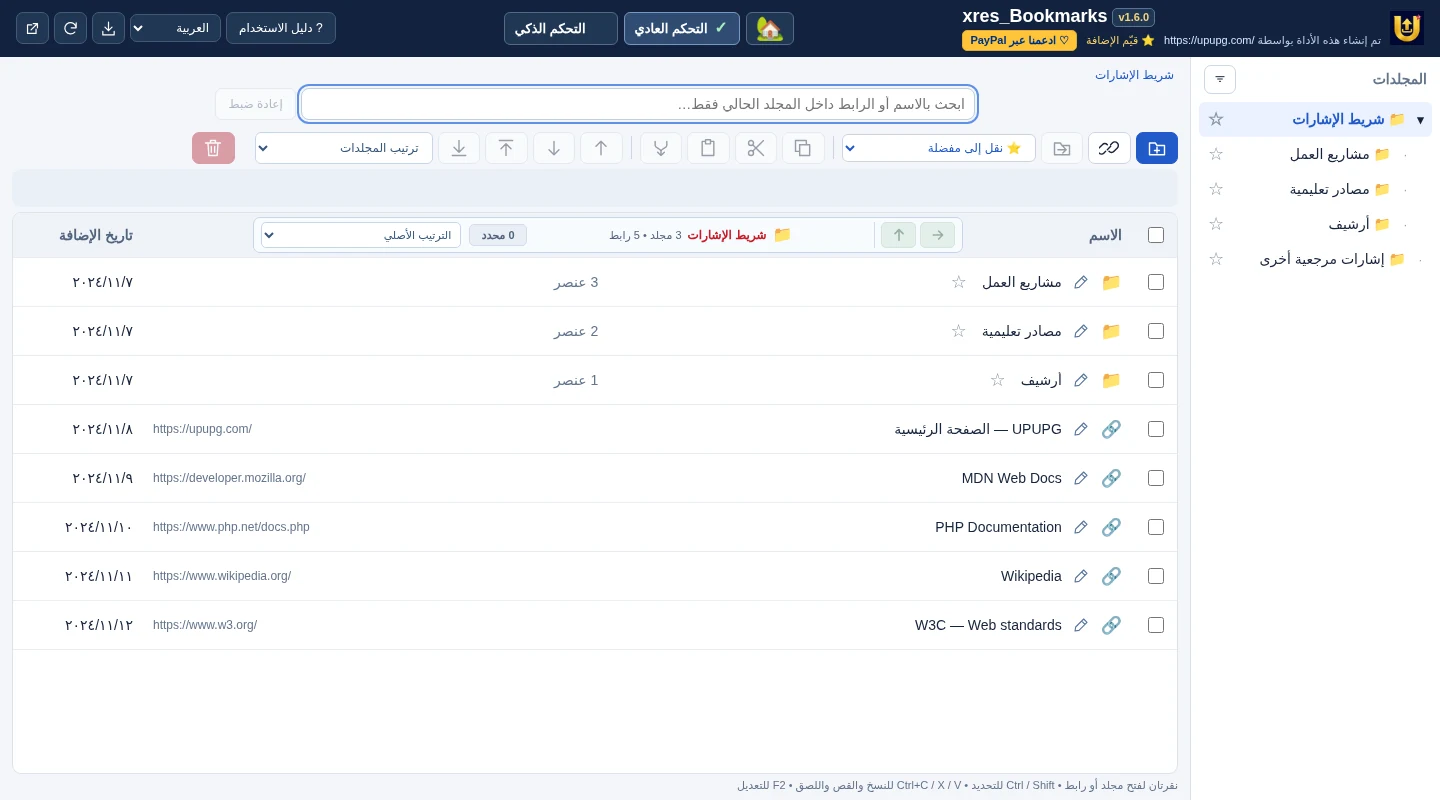
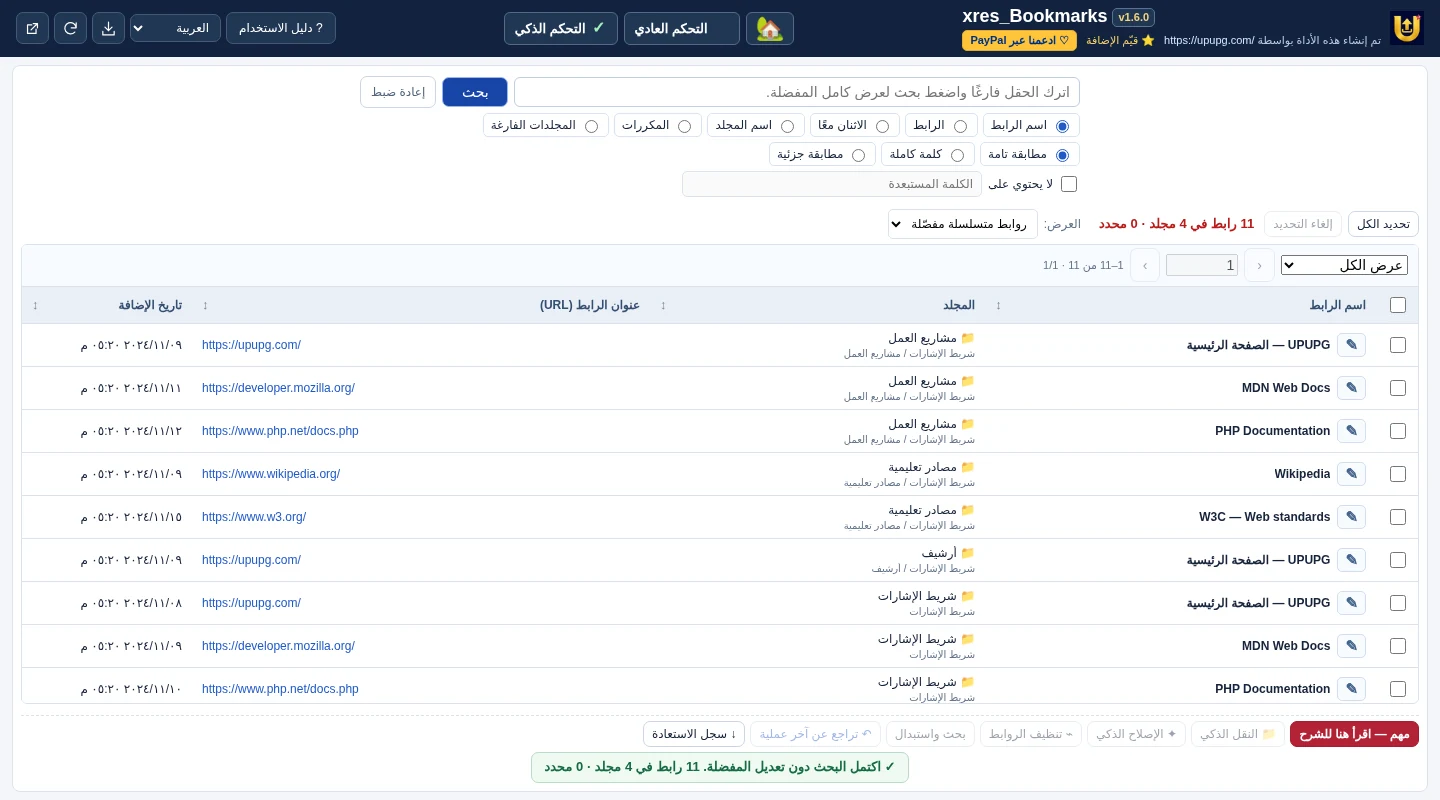
Illustration from version 1.6.0 using demo data; new screenshots will follow final verification.
Everyday controls and advanced bulk management in one extension.
Manage the current folder: copy, move, merge and edit directly.
Search and manage your entire collection, with previews for supported bulk operations.
Search by bookmark name, URL or folder name, and exclude specific terms.
Review duplicate bookmarks and choose which entries to remove.
Remove recognized tracking parameters while preserving essential URL information.
Move and merge folders, and remove empty branches across nested levels.
Drag one or multiple items to reorder them or move them into a folder.
Keep a separate order reference for each folder and restore it without reverting edits.
Replace text in bookmark titles, URLs and folder names.
Five result views, including a sortable table and pagination options.
A local journal for supported operations and an HTML bookmark backup.
Arabic, English and eight more languages, with a built-in user guide.
Choose the right mode for the task at hand.
Current folder and direct contents
Deep search across all bookmarks
Install from the official Chrome Web Store and open it from the toolbar.
Choose Normal or Smart Control and select the items to manage.
Preview supported operations and export a backup when needed.
Click any image to view it at full size. Version 1.6.0 interface with demo data.

Your bookmarks are processed in your browser without transmitting their contents to an external server. No account or subscription is required, and you remain in control of the actions you take.
Read the privacy policyFinal candidate 1.7.0 is prepared for local verification before publication.
Smart Night Scan is not included in this release.
Internal maintenance and centralized protection rules, update engine and undo journal.
Your rating, comments and feedback help us improve the extension and keep it free for everyone.
Local notes for pages or sites, and quick access to selected bookmarks; opening either popup section collapses the other.
No. All features are free and the extension does not require its own account.
It is designed for large collections, with pagination and sorting in detailed results. Actual performance depends on the device and collection size.
No. Bookmark processing takes place locally. Opening a saved link navigates to its website as usual.
Supported operations can be undone. The guide explains limitations. Restored deleted items may receive new IDs and creation dates. Export an HTML backup before large changes.
Direct editing and moving preserve the existing identifier and date added. Deletion and recreation are different.
Yes. Each folder has a local order reference. New items are appended and deleted items excluded. A new reference can be adopted after confirmation.
It uses bookmarks to manage bookmarks. Version 1.7.0 also uses activeTab to identify the current tab URL when the notes popup opens.
When installed from the Chrome Web Store, Chrome handles updates automatically.
Free, available directly from the Chrome Web Store, by UPUPG.com.